Mangaplay Studio by Pistol Taeja
A downloadable tool
Mangaplay aka Mangaplay Studio is for anyone making a manga or comic to quickly mock up a storyboard using text created by Pistol Taeja.
Since the initial release , its been updated to fully support Chrome OS and Google Docs.
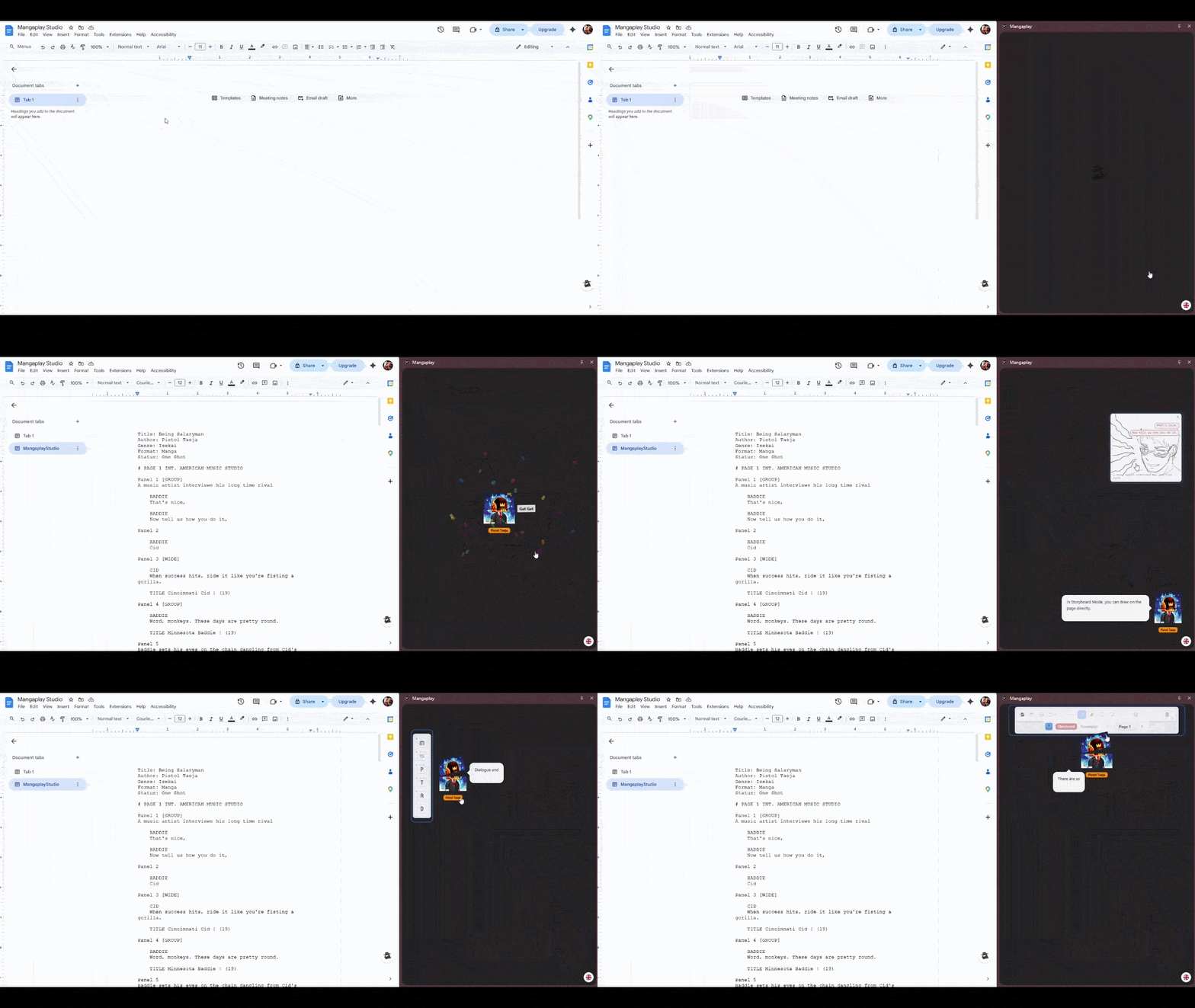
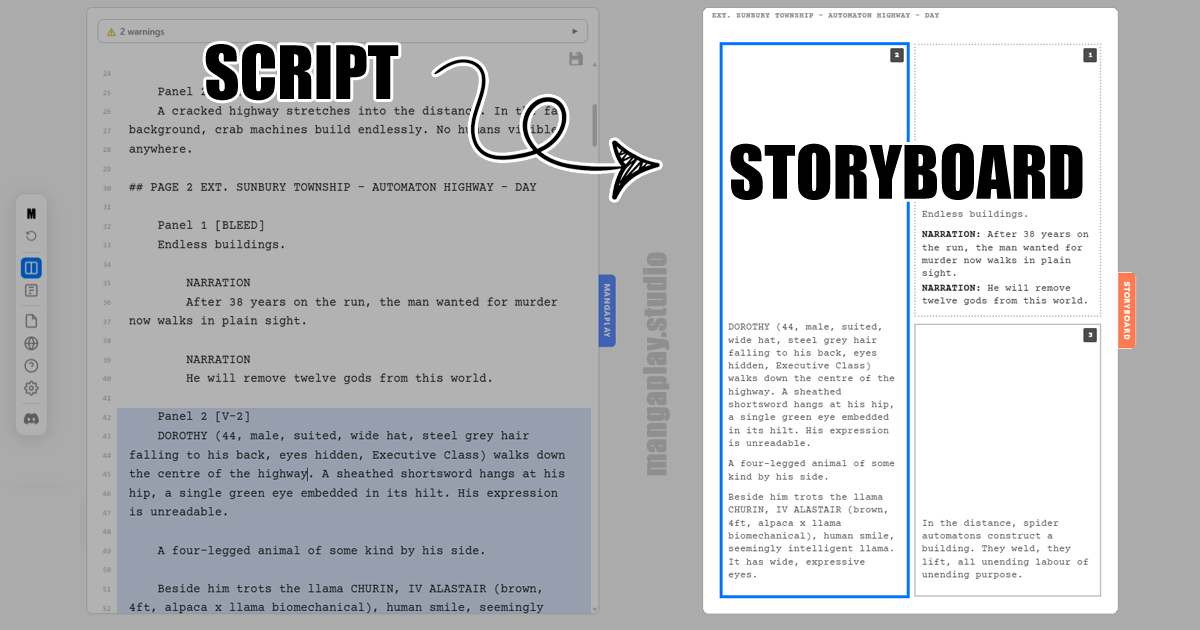
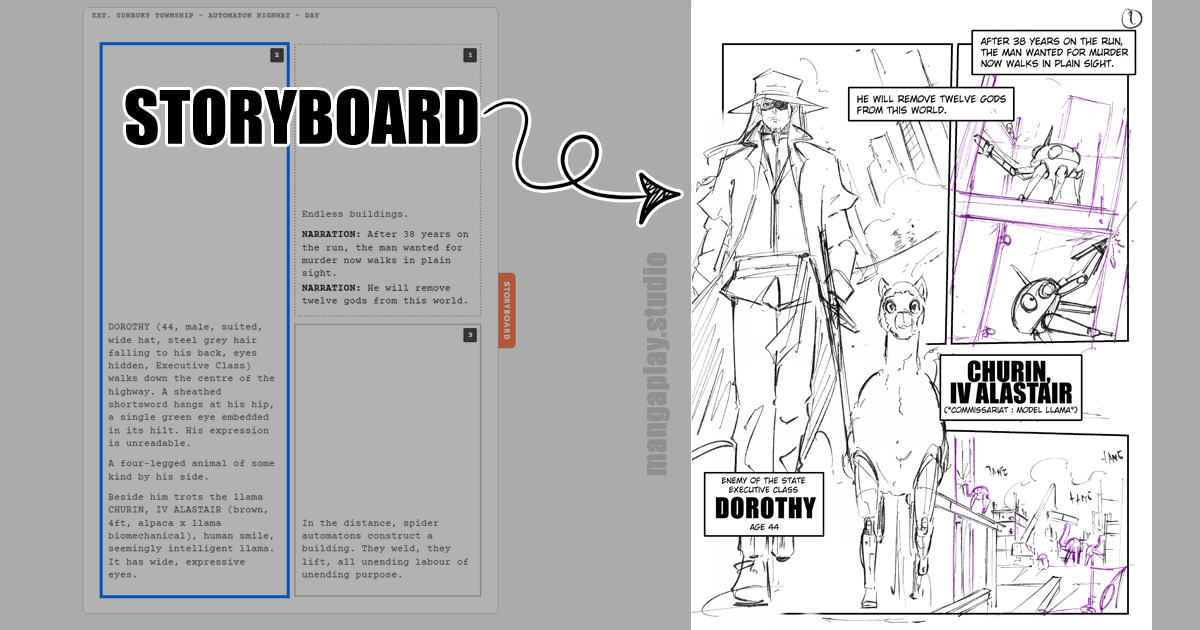
A browser text editor to write a story and immediately visualise the script with intuitive panel layouts — no drawing required.
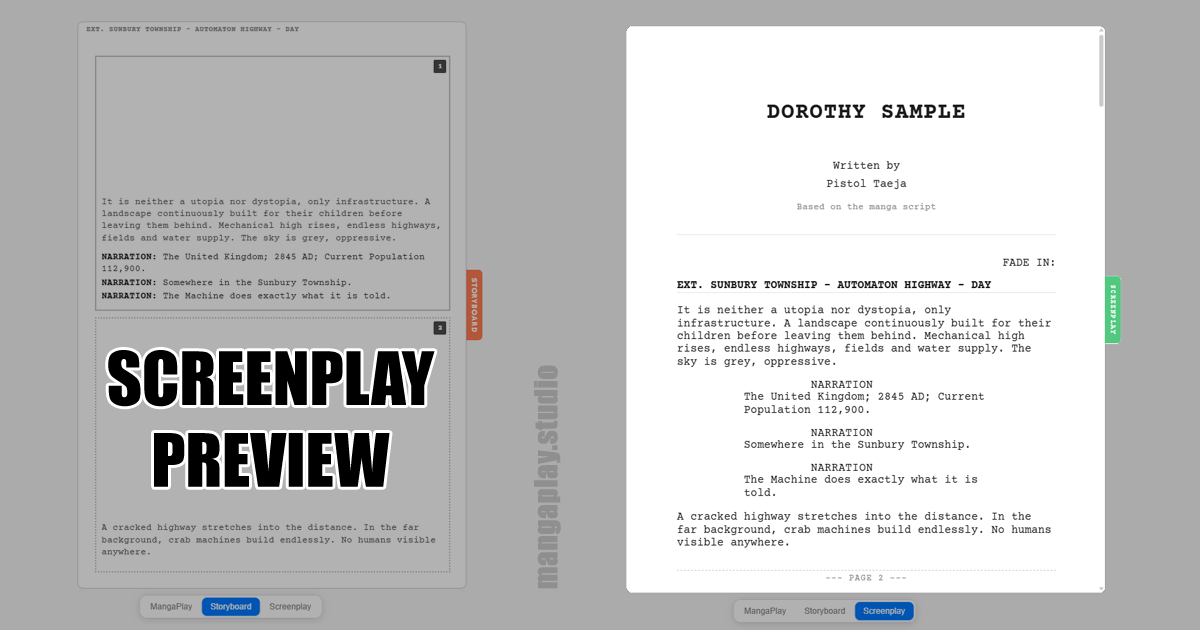
It has an added bonus of a screenplay viewer, so you can share the same script with the screenplay writing community for feedback.
Available as either a website or downloadable .html file. Mangaplay runs locally in the browser.
Try it right now by downloading it on itch or visiting https://mangaplay.studio to run it.
Step 1
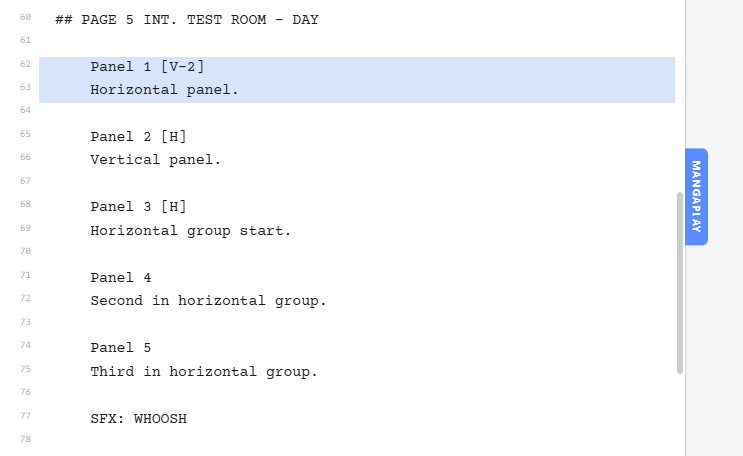
Start with a blank page and just write. The .mangaplay format is plain text with a handful of simple markers for panels and dialogue, so you can lay out a full storyboard as fast as you can type it.
Step 2
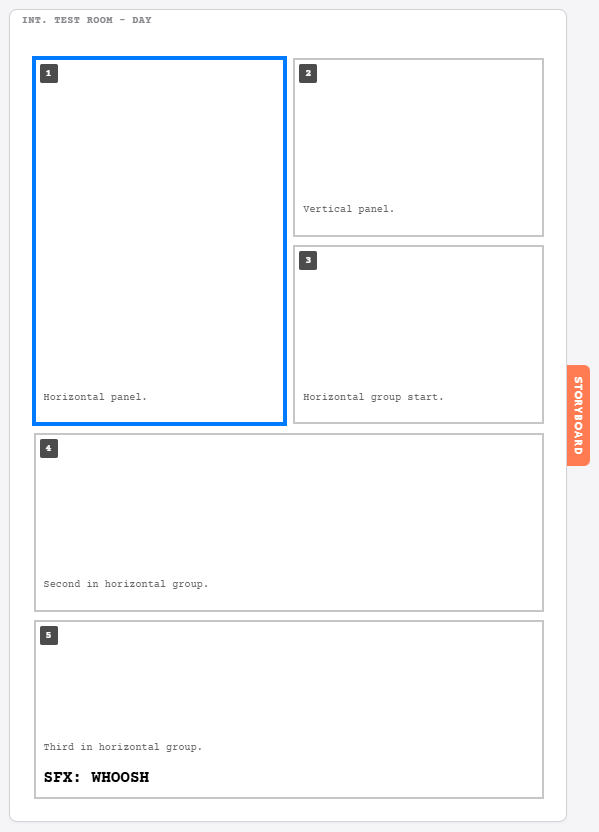
And there it is , your script rendered as a ready-to-read page.
Switch between manga, comic and screenplay views at any time, tweak a panel, and the preview updates instantly.
When it's ready, share it with your artist, your co-writer, or the screenplay community for feedback.
Pistol Taeja says thanks and will be keeping Mangaplay Studio as updated as possible.
TUTORIALS & GUIDES
https://mangaplay.studio/structuring-a-horror-comic-manga-panel
https://mangaplay.studio/how-to-introduce-a-character-in-a-comic
Download
Install instructions
- Unzip the .zip file.
- Launch MangaPlayStudio.html
- Have fun
Development log
- Paint Update For MangaplayMay 03, 2026
- Sketching SupportApr 16, 2026
Comments
Log in with itch.io to leave a comment.
Good tool! Thanks
Please shout at me here or discord if there are any bugs. I'll get on it asap!
no-AI / just math. I use it mostly with MSPaint.exe and Google Slides.
Please let me know if it helps you on your journey and how you used it.
Im happy to keep it updated as I continue making manga.